Voice-Activated Command Centers: Integrating the Voice Assistant Speaker for Efficiency
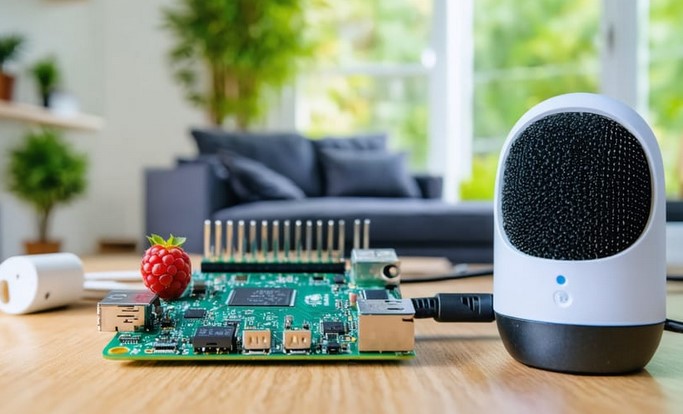
Source:https://pidora.ca
Picture this: You’re elbow-deep in raw chicken while prepping a family dinner, the pot on the stove is starting to boil over, and suddenly the doorbell rings. In the old days, this was a recipe for a kitchen disaster or a very messy floor. Today, I simply mutter a few words toward the corner of my counter, the heat lowers, the front door camera pops up on my screen, and a timer starts for the oven—all without me washing my hands once.
Over the last decade, I’ve seen “Smart Homes” evolve from glitchy, expensive novelties into essential household infrastructure. As someone who has wired hundreds of homes and spent countless hours troubleshooting dead zones, I can tell you that the heart of a modern home isn’t the smart fridge or the fancy lights; it’s the Voice Assistant Speaker.
When integrated correctly, these devices act as the “brain” of your home. But if you just plug one in and hope for the best, you’re essentially buying a very expensive egg timer. Let’s dive into how to actually engineer a command center that works for you, not against you.
The Nervous System of Your Home: Why One Isn’t Enough
Many of my clients start with a single Voice Assistant Speaker in the living room and wonder why the experience feels “clunky.”
Think of your home like a human body. If your ears were only in your living room, you wouldn’t be able to hear a whisper in the bedroom. To achieve true efficiency, you need to think about Acoustic Coverage.
In my professional experience, the “Command Center” approach works best when you have a primary hub (usually with a display) and secondary “satellites” throughout the house. This creates a hand-off system where the house “follows” you as you move.
The Analogy of the Invisible Butler
Imagine you have an invisible butler. If he’s standing three rooms away, you have to shout to get a glass of water, which is exhausting. But if there’s a butler within earshot in every room, a simple whisper gets the job done. Integrating a Voice Assistant Speaker in key zones creates that seamless, effortless “butler” experience.
1. Strategic Placement: Beyond the Kitchen Counter
Most people drop their speaker next to the microwave and call it a day. That’s a mistake. Microwaves, refrigerators, and even tiled walls create Signal Interference and echo.
The “Dead Zone” Audit
When I consult on a home improvement project, I perform what I call a “Line of Sight” audit. You want your Voice Assistant Speaker to be:
-
Ear Level: Placing a speaker too high (on top of a fridge) or too low (near the floor) muffles the microphones.
-
Away from Corners: Corners amplify bass and create “muddy” sound, which makes it harder for the AI to understand your wake word.
-
Centralized: In a bedroom, the nightstand is king. In a living room, a side table at seated ear level is ideal.
2. Hardwiring vs. Wireless: The Pro’s Secret to Stability
While every Voice Assistant Speaker is marketed as a Wi-Fi device, the pros know that “Wireless” is often code for “Unreliable.”
If you are in the middle of a renovation or have access to a crawlspace, I always recommend hardwiring your primary hubs via Ethernet (using a PoE adapter). * Latency: Hardwired devices respond milliseconds faster. It sounds small, but it’s the difference between a light turning on now versus after you’ve tripped over the rug.
-
Bandwidth: It keeps your Wi-Fi airwaves clear for your phones and laptops.
3. Creating “Scenes” for Maximum Efficiency
The real power of a Voice Assistant Speaker isn’t asking about the weather; it’s Automated Routines. This is where we move from “Beginner” to “Intermediate” home improvement.
Instead of giving five different commands, you should be using “Scenes.”
-
The “Good Morning” Scene: Triggered by your alarm, it slowly raises the smart blinds, starts the coffee maker, and reads your calendar.
-
The “Leaving Home” Scene: One command locks the smart deadbolts, lowers the thermostat by 5 degrees, and turns off every light in the house.
Technical Tip: Look for speakers that support Matter or Thread protocols. These are the new universal languages of smart homes, ensuring that your speaker from Brand A can talk to your lightbulb from Brand B without a headache.
4. Acoustic Treatment: Helping Your Assistant Hear You
If you have a modern home with lots of glass, hardwood, and “hard” surfaces, your Voice Assistant Speaker is likely struggling with Reverberation.
In several of my high-end installs, clients complained the assistant was “getting dumber.” The truth? The room was too echoey.
-
The Fix: Adding “soft” elements like rugs, heavy curtains, or even decorative acoustic panels on the wall can drastically improve the microphone’s ability to isolate your voice from background noise.
-
The Pro Tip: Use a speaker with “Far-field voice recognition.” These have a circular array of 6-8 microphones designed specifically to filter out the sound of a TV or a vacuum cleaner.
5. Privacy Engineering: The “Mute” Philosophy
One of the biggest hurdles for my clients is the “creepy factor.” They don’t like the idea of a “hot mic” in their private spaces.
When choosing a Voice Assistant Speaker, look for hardware with a Physical Mute Switch. This isn’t a software button; it’s a physical break in the electrical circuit to the microphone.
Expert Warning: Avoid placing speakers in bathrooms or private dressing areas unless they are part of a dedicated, high-security ecosystem. Even as an expert, I prefer “Analog Privacy” in the most sensitive areas of a home.
Technical Comparison: Choosing Your Hub
| Feature | Entry-Level Speaker | Mid-Range Hub (Display) | Premium Integrated Audio |
| Primary Use | Timers & Music | Video Calls & Smart Home Control | High-Fidelity Music & Home Theater |
| Connectivity | Wi-Fi Only | Wi-Fi + Zigbee/Thread | Hardwired Ethernet |
| Mic Quality | Standard (2-4 Mics) | High (Far-field Array) | Professional Grade |
| Best Location | Guest Room / Bath | Kitchen / Entryway | Living Room / Media Room |
6. The “Hidden” Value: Energy Management
Integrating a Voice Assistant Speaker isn’t just about laziness; it’s about the checkbook. By linking your speaker to a smart thermostat and smart plugs, you can monitor real-time energy usage.
I’ve had clients save an average of 15% on their monthly utility bills simply by setting a “Goodbye” routine that ensures no phantom power is being drained by TVs or computers while they are at work.
Final Thoughts: Building Your Future, One Command at a Time
Modernizing your home with a Voice Assistant Speaker is the most cost-effective way to add “IQ” to your living space. You don’t need to be a software engineer to do this; you just need to think like a builder. Focus on placement, prioritize stability over convenience, and start small with routines that solve your daily “pain points.”
Your home should work for you. It should be the place where you can finally put your feet up (or wash that chicken) while the technology handles the rest.
What is the one repetitive task in your home that drives you crazy every day? Let’s figure out how to automate it! Drop a comment below with your current home setup, and I’ll give you a “Pro” recommendation on where to place your next hub.